Settings reference
Modules dialog
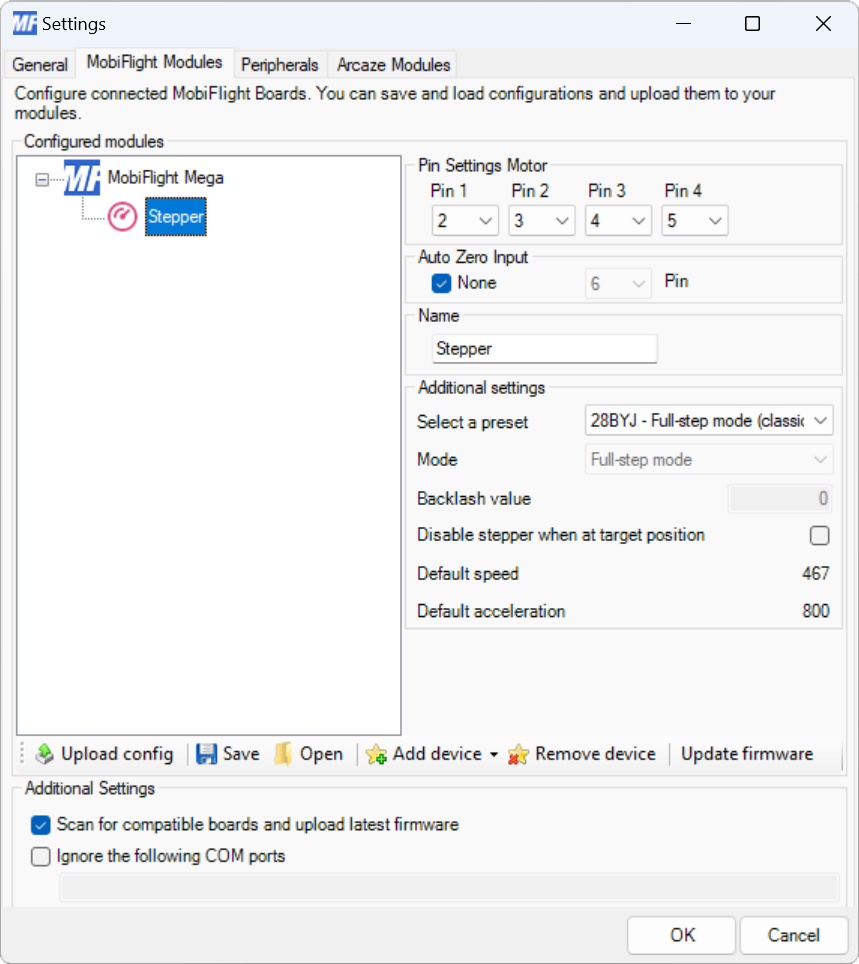
| Setting | Description |
|---|---|
| Pin 1 | The board pin connected to pin 1 on the stepper motor. All digital and analog pins are supported. |
| Pin 2 | The board pin connected to pin 2 on the stepper motor. All digital and analog pins are supported. |
| Pin 3 | The board pin connected to pin 3 on the stepper motor. All digital and analog pins are supported. This pin is not used with Easy Driver boards. |
| Pin 4 | The board pin connected to pin 4 on the stepper motor. All digital and analog pins are supported. This pin is not used with Easy Driver boards. |
| Auto Zero Input - None | When checked, disables automatically setting the motor zero position based on a pin input. |
| Auto Zero Input - Pin | The board pin connected to a switch that, when closed, indicates the motor is at the zero position. |
| Name | The name for the stepper motor. Displayed in the output configuration dialog to identify the device when mapping the simulator output. |
| Select a preset | The preset for the type of driver connected to the motor. |
| Mode | The type of driver mode used. |
| Backlash value | The number of steps to apply to compensate for backlash in the stepper motor. |
| Disable stepper when at target position | When checked, turns off power to the stepper motor once it reaches the target position. |
Output display configuration
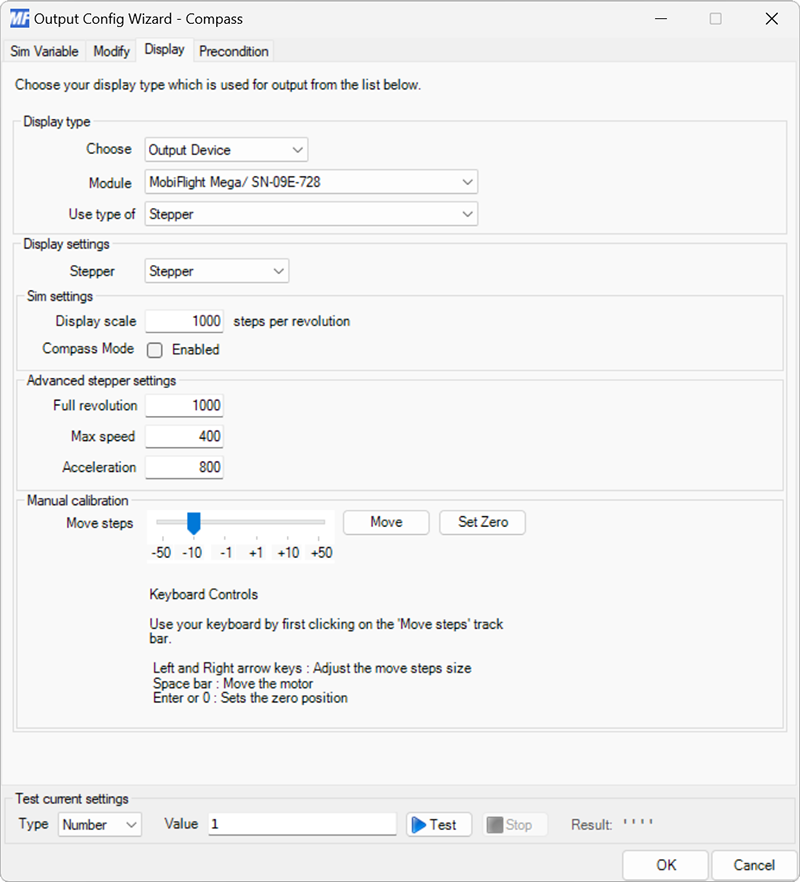
| Setting | Description |
|---|---|
| Stepper | Selects the stepper motor to display the value on. |
| Display scale | The number of steps for the value from the simulator to complete a full revolution of the shaft. For example, a compass heading in degrees has 360 steps. |
| Compass Mode - Enabled | When checked, ensures the motor takes the shortest path to the new value when crossing the 0/360 degree boundary. |
| Full revolution | The number of steps required to make a 360-degree revolution of the shaft. |
| Max speed | The maximum number of steps per second to move the stepper motor. |
| Acceleration | The acceleration in steps per second, per second, to reach the Max speed. |
| Move Steps | The number of steps to move the motor when clicking the Move button when setting the stepper zero position. |
| Move | When clicked, moves the stepper motor by the number of steps specified by Move Steps. |
| Set Zero | When clicked, sets the zero position of the stepper motor to the current shaft position. |